
How To: Group Messaging in WEFUnity
Did you know that anyone can create and participate in a groupchat on WEFUnity? All you need to do is follow a few simple instructions and you'll be ready to begin a chat with up to 49 other users for any purpose, including conference discussions, casual event planning, and more!
First, click on the messaging icon on the top right of the browser and bottom left of the mobile app.

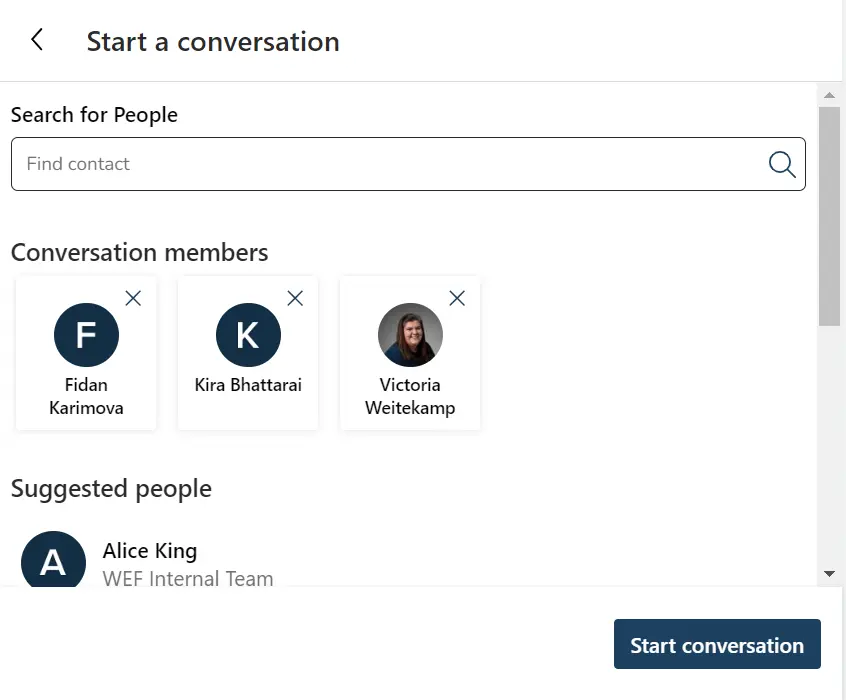
Then, search for the users you wish to add and click on their name to add them to the chat. Once you've added everyone, click "Start conversation".
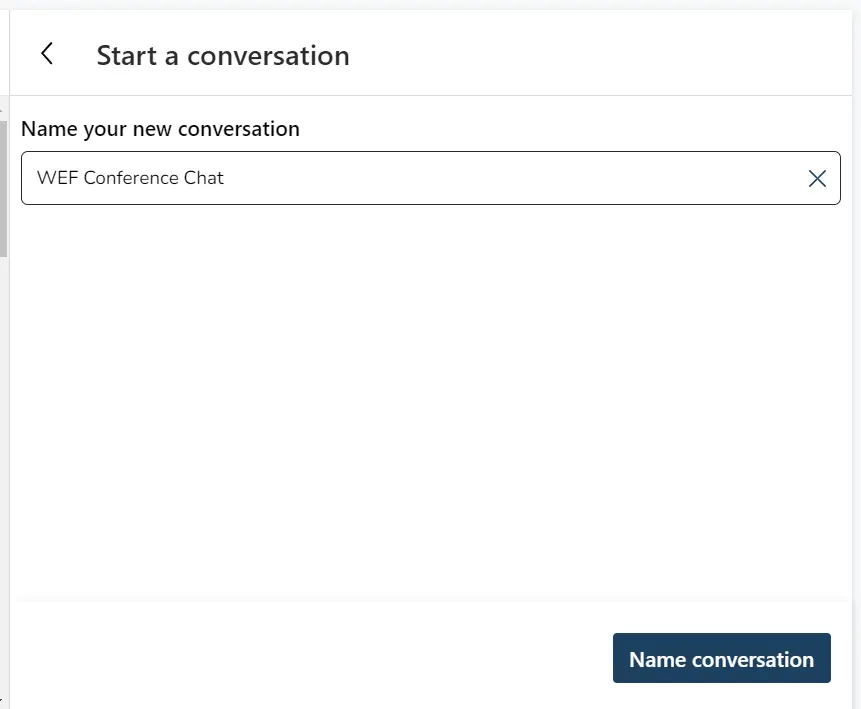
Next, it's time to give the chat a name. For best use, it is recommended to use a brief but specific name for example "WEF Conference Chat"
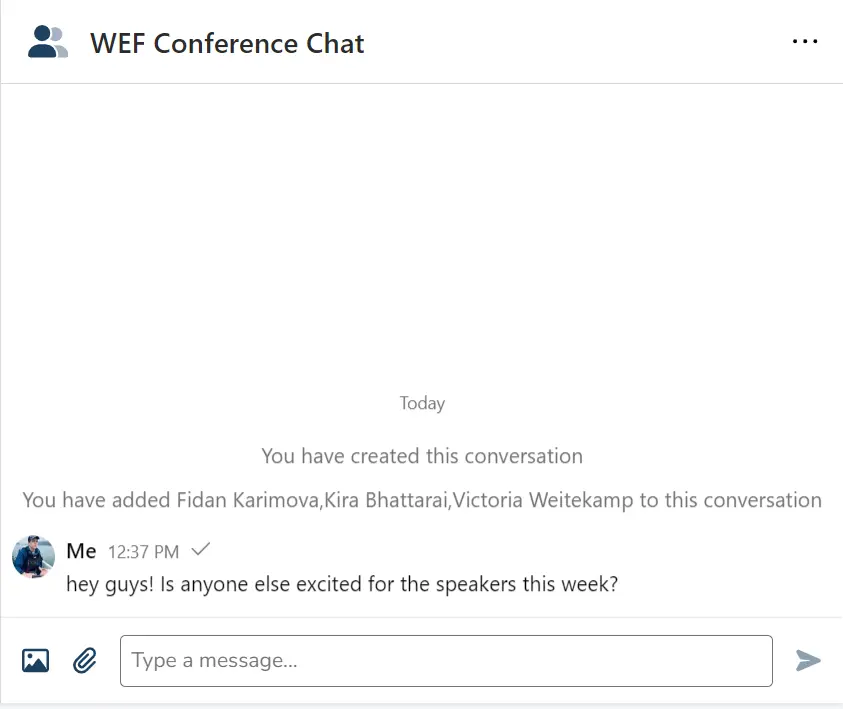
Once you have named the chat, you are ready to start messaging other users. You can send text, images, and even files in the groupchat, making it ideal for informal groups.