

Creating Events in WEFUnity
Published on October 23, 2023
The event creator tool is one of the most popular WEFUnity apps, and anyone can use it. Before your next big event, read the below to learn about how to make the most of the WEFUnity Events app.
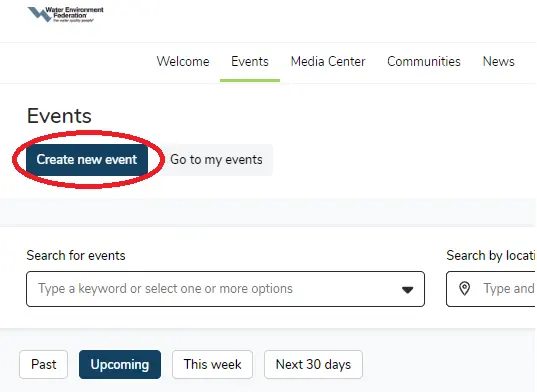
To create an event, first navigate to the Events tab in the main menu and then click "Create new event" in the top left corner.
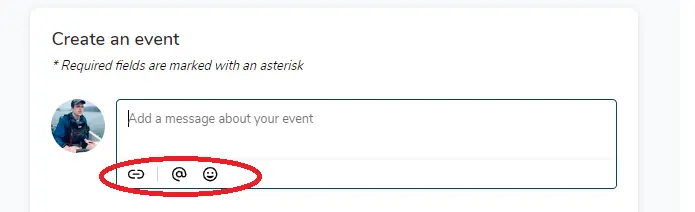
To embed a link for an online event, click the link icon on the the bottom left of the Message configuration box. You can also tag other users or insert emojis to advertise the event.
Once you've added all necessary information, you can directly alert other WEFUnity users by clicking "Notify people" and selecting any number of users or filters. Once you've done so, click publish and the event will go live.